
Executive Summary
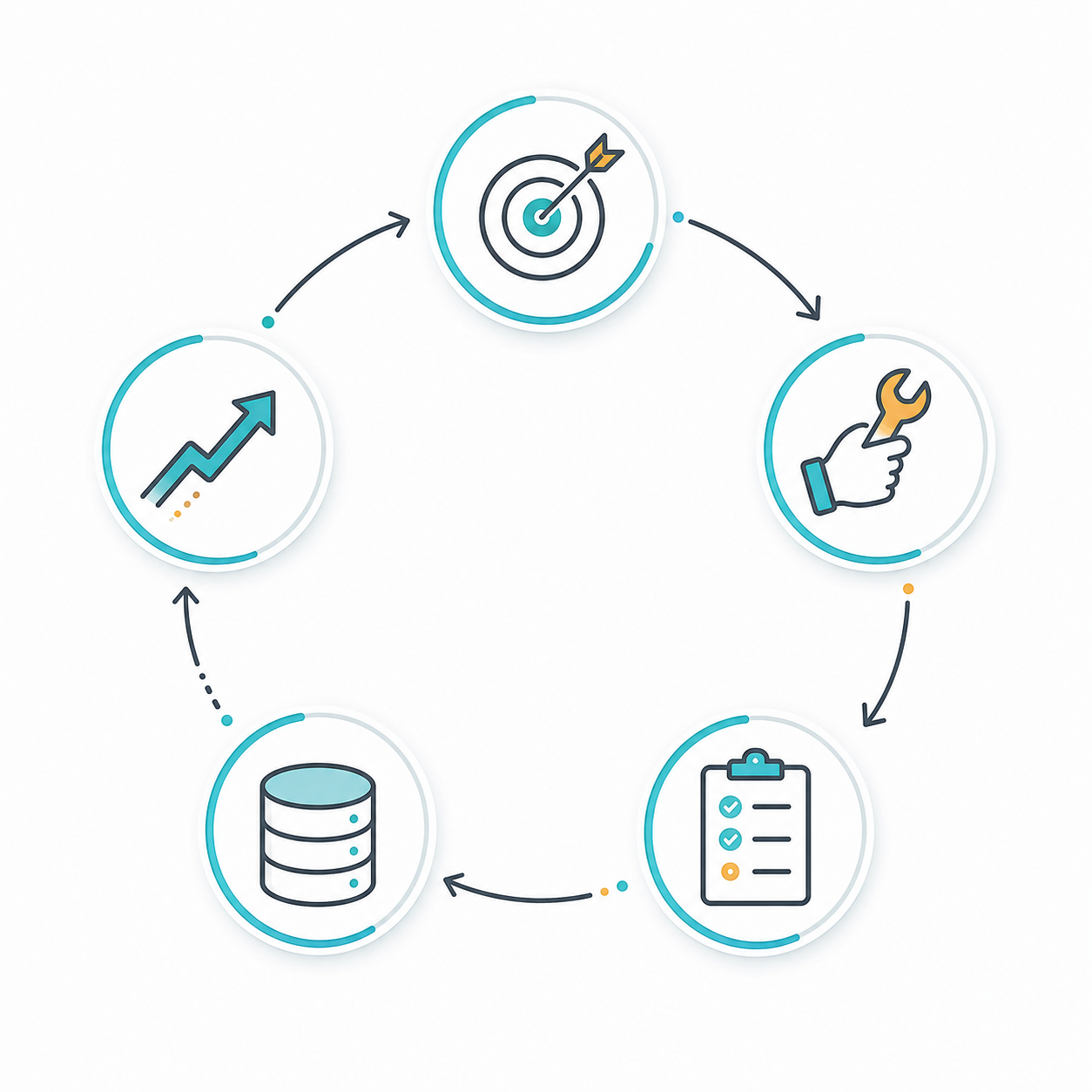
The AI method people are now calling Loops or loop engineering is the shift from manually prompting an AI model one step at a time to designing a recurring system that can keep working toward a goal, check its own progress, remember what worked, and improve across cycles.
In simple terms:
Prompting is asking an AI for one answer. Loop engineering is designing the work system around the AI.
This case study teaches the concept from first principles. We will cover what loops are, why they matter, how they work, what goes wrong without them, what they solve, and how a student can build mastery through a genuine example.
The most important lesson is this: a loop is only as good as its judgment layer. If the loop can evaluate progress correctly, it becomes a powerful automation pattern. If the loop has weak evaluation, it can become an expensive machine for repeating mistakes.
TL;DR
- A loop is a recurring AI workflow: goal -> action -> evaluation -> memory -> next action.
- It reduces the need for constant human prompting.
- It is especially useful for coding agents, research agents, QA agents, customer support agents, and content workflows.
- The method is not completely new. It builds on older ideas such as ReAct, Reflexion, and Self-Refine.
- The 2026 shift is that loops are becoming a practical engineering and management method, not just a research pattern.
- The risk is cost, drift, hallucinated progress, and weak self-review.
- Mastery comes from learning how to design goals, evaluators, memory, tools, stop rules, and human checkpoints.
What Is A Loop?
An AI loop is a structured cycle where an AI system repeatedly performs work until a condition is met.
The basic pattern looks like this:
1. Observe the current state
2. Decide the next action
3. Use tools or produce work
4. Evaluate the result
5. Store useful learning
6. Continue, stop, or escalate
For a coding agent, the loop might be:
Read issue -> inspect repo -> edit code -> run tests -> fix failure -> rerun tests -> open PR
For a research agent, the loop might be:
Define question -> gather sources -> check credibility -> synthesize notes -> find gaps -> search again -> draft report
For a customer support agent, the loop might be:
Read ticket -> classify intent -> retrieve policy -> draft answer -> check against policy -> send or escalate
The student-friendly way to understand it is: a loop turns an AI from a single-response assistant into a process participant.
Why Everyone Is Talking About It Now
In June 2026, Axios and Business Insider both described loops as the concept AI builders are increasingly emphasizing beyond prompt engineering. Business Insider connected the trend to practitioners such as Boris Cherny, Peter Steinberger, Claire Vo, and Addy Osmani, who describe a move away from hand-writing every prompt and toward designing recurring systems that guide agents.
The phrase is new in mainstream tech media, but the technical ancestry is older:
- ReAct, 2022: showed that models can interleave reasoning and tool use.
- Reflexion, 2023: showed that agents can improve by writing verbal feedback into memory after failures.
- Self-Refine, 2023: showed that models can improve outputs through iterative feedback and revision.
- Agentic coding systems, 2025-2026: turned those patterns into everyday developer workflows using tools, files, tests, worktrees, subagents, and persistent instructions.
So the right mental model is:
Loops are where prompt engineering, agent design, automation, evaluation, and workflow management meet.
The Problem Without Loops
Without loops, most AI work depends on a fragile human-in-the-middle pattern:
Human asks -> AI answers -> human checks -> human asks again -> AI answers again
That works for small tasks. It fails when the task needs persistence, verification, or multiple attempts.
Common problems without loops:
- Prompt fatigue: The user must keep deciding the next instruction.
- Lost context: The model forgets why a previous decision was made.
- No systematic evaluation: The work may look good but remain untested.
- No learning across attempts: The same mistake can repeat.
- Low throughput: One human can supervise only a small number of tasks manually.
- Weak handoff: Another person cannot easily inspect why the AI did what it did.
For a student, this is the difference between asking a tutor for answers and building a study routine. One answer may help once. A routine compounds.
What Loops Solve
Loops solve the problem of continuity.
They give AI systems a way to keep moving through a task while maintaining structure:
| Without Loop | With Loop |
|---|---|
| One prompt at a time | Recurring process |
| Human decides every next step | System decides bounded next steps |
| Output judged informally | Output checked by evaluator |
| Mistakes often repeat | Mistakes can become memory |
| Work ends when the reply ends | Work ends when stop criteria are met |
| Hard to scale | Can run across tasks, repos, tickets, or documents |
Loops are especially valuable when the task has a measurable feedback signal:
- tests pass or fail
- data validates or fails
- policy check passes or fails
- source credibility meets threshold
- customer ticket is resolved or escalated
- report covers required questions
The clearer the feedback signal, the stronger the loop.
The Core Architecture
A strong loop has seven parts.
1. Goal
The goal is the loop's mission.
Bad goal:
Improve the app.
Better goal:
Reduce checkout form abandonment by identifying the top three UX blockers, proposing fixes, implementing the smallest safe change, and verifying it with tests.
A good goal says what success looks like.
2. State
State is what the loop knows right now.
Examples:
- current task description
- files changed
- test results
- previous failures
- user constraints
- source list
- open questions
State prevents the loop from behaving like every turn is the first turn.
3. Tools
Tools let the agent act.
Examples:
- browser/search
- code editor
- terminal
- test runner
- database query
- ticket system
- spreadsheet reader
- document parser
Without tools, a loop is mostly a thinking exercise. With tools, it becomes an execution system.
4. Evaluator
The evaluator judges whether the work is good enough.
Examples:
- unit tests
- lint checks
- fact-checking checklist
- rubric-based review
- second model critique
- human approval
- deterministic schema validation
This is the most important part. A weak evaluator creates false confidence.
5. Memory
Memory stores what the loop should reuse.
Examples:
- "This project uses server components by default."
- "Do not edit generated files."
- "The pricing page failed because currency formatting broke snapshots."
- "This source is unreliable for financial numbers."
Memory is not a dumping ground. Good memory is compressed, relevant, and actionable.
6. Budget
Every loop needs limits.
Examples:
- max iterations: 5
- max cost: $2
- max runtime: 20 minutes
- max files changed: 3
- stop if same error repeats twice
- escalate if external approval is required
Budget is what keeps autonomy from turning into waste.
7. Stop Rule
A loop needs to know when to stop.
Good stop rules:
- all tests pass
- confidence threshold reached
- required sources verified
- human approval needed
- budget exhausted
- no new progress after two attempts
No stop rule means the loop can keep "improving" forever without improving anything important.
How It Works Step By Step
Here is the general loop algorithm:
Input: goal, constraints, tools, evaluator, memory, budget

while budget remains:
  observe current state
  choose the next useful action
  perform the action with available tools
  evaluate the result
  update memory with useful learning
  if success criteria are met:
    stop and report
  if blocked or unsafe:
    escalate to human

return final artifact, evidence, and remaining risks
A good loop is not "let the AI do anything." It is bounded autonomy.
Genuine Example: Student Building A Research Brief Loop
Imagine a student wants to master AI policy research. The task is:
Create a one-page research brief on whether schools should allow AI tutors in homework.
Manual prompting approach
The student asks:
Write a brief about AI tutors in homework.
The AI gives a fluent answer. It may be useful, but the student does not know:
- whether the sources are real
- whether opposing views are covered
- whether claims are current
- whether the brief is balanced
- whether the answer improved from the first attempt
Loop approach
The student designs a loop:
Goal:
Produce a balanced one-page research brief on AI tutors in homework.

Required sections:
1. Benefits
2. Risks
3. Evidence
4. Policy recommendation
5. Open questions

Tools:
Web search, source notes, citation checker.

Evaluator:
The brief must include at least five credible sources, at least two counterarguments, and no unsupported factual claims.

Memory:
Store weak sources, strong sources, recurring objections, and useful policy definitions.

Budget:
Three research cycles, two drafting cycles, one final review.

Stop rule:
Stop when the evaluator confirms coverage, source quality, and balance.
Now the AI does not merely write. It researches, checks, revises, and reports evidence.
What the loop might do
Cycle 1:
Find sources from education journals, government guidance, and major research labs.
Cycle 2:
Check source credibility and remove weak blog-only evidence.
Cycle 3:
Draft the brief with pro and con arguments.
Cycle 4:
Evaluate the draft against the rubric.
Cycle 5:
Revise unsupported claims and add missing counterarguments.
Final output:
One-page brief + source list + remaining uncertainty.
That is loop engineering. The student has designed the learning process, not just requested an answer.
Practical Example: Coding Agent Loop
A software team wants an agent to fix flaky tests.
Goal
Identify the cause of one flaky test, apply the smallest safe fix, and prove the test is stable across repeated runs.
Loop
1. Run the failing test 10 times.
2. Capture the failure pattern.
3. Inspect only related files.
4. Propose the smallest fix.
5. Apply the fix.
6. Run the test 20 times.
7. Run adjacent tests.
8. If stable, summarize the cause and patch.
9. If unstable after 3 attempts, stop and ask for human review.
Why this is better than prompting
The agent is not just told "fix the test." It receives a method:
- gather evidence first
- constrain scope
- verify repeatedly
- stop after bounded attempts
- report uncertainty
This is how loops turn AI from a clever autocomplete into a disciplined worker.

What A Beginner Should Learn First
Level 1: Prompting
Learn to give clear instructions.
Practice:
Write a summary with constraints.
Level 2: Rubrics
Learn to define quality.
Practice:
Evaluate this answer for accuracy, completeness, clarity, and missing evidence.
Level 3: Iteration
Learn feedback and revision.
Practice:
Draft -> critique -> revise.
Level 4: Tool Use
Learn to connect the model to real evidence.
Practice:
Search -> cite -> verify -> synthesize.
Level 5: Memory
Learn what should persist.
Practice:
After each run, write three reusable lessons and two things to avoid.
Level 6: Automation
Learn to make the process repeat.
Practice:
Run this workflow every morning on new tickets, summarize only high-priority items, and escalate uncertain cases.
Level 7: Multi-Agent Loops
Learn role separation.
Practice:
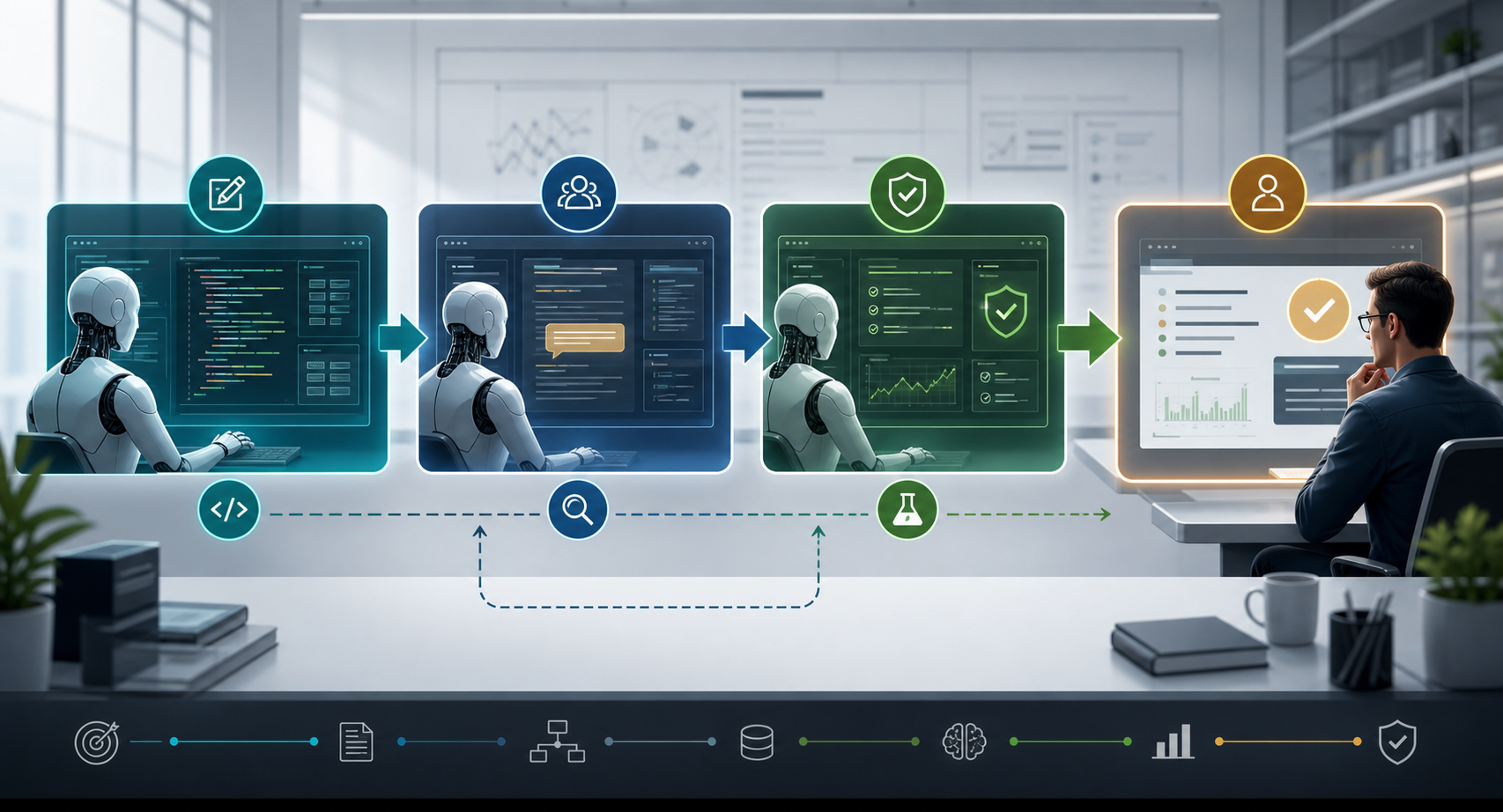
One agent writes. One agent reviews. One agent verifies evidence. One human approves.
A Student's Loop Design Template
Use this template whenever you design a loop:
Loop name:

Goal:

Inputs:

Allowed tools:

Actions the agent may take:

Actions the agent may not take:

Evaluator:

Memory to keep:

Budget:

Stop rule:

Human escalation rule:

Final report format:
Example filled in:
Loop name:
Weekly AI news research loop

Goal:
Find the three most important AI infrastructure stories this week and explain why they matter.

Inputs:
Trusted news sources, company blogs, research papers.

Allowed tools:
Web search, source extraction, citation notes.

Actions the agent may take:
Search, summarize, compare, draft.

Actions the agent may not take:
Invent sources, cite social posts as primary evidence, publish automatically.

Evaluator:
Each story must have at least two credible sources and a clear market impact.

Memory to keep:
Reliable sources, recurring companies, previous predictions that were wrong.

Budget:
90 minutes, 20 sources max.

Stop rule:
Stop when three stories meet the evidence threshold.

Human escalation rule:
Ask if a claim is high-impact but only supported by rumor.

Final report format:
Headline, what happened, why it matters, evidence, uncertainty.
The Main Risks
1. The loop gets confidently wrong
If the evaluator is weak, the loop can reinforce bad work.
Mitigation:
Use external checks: tests, citations, schema validation, human review.
2. The loop burns tokens
Subagents, repeated searches, and long contexts can become expensive.
Mitigation:
Set iteration limits, summarize state, use cheaper models for low-risk review.
3. The loop changes too much
Coding agents may refactor unrelated files or research agents may expand the scope.
Mitigation:
Define allowed actions, scope boundaries, and stop conditions.
4. The loop hides uncertainty
AI systems can make uncertain work look polished.
Mitigation:
Require a final section for confidence, missing evidence, and remaining risks.
5. The loop lacks accountability
If nobody owns the output, automation becomes operational risk.
Mitigation:
Assign human approval for irreversible actions.
How To Master Loop Engineering
To become good at loops, practice designing systems where the model can learn from feedback without losing control.
The mastery path:
- Start with one small loop.
- Add a clear evaluator.
- Add memory only for reusable lessons.
- Add tools only when the task needs external action.
- Add budget limits.
- Add human approval for risky steps.
- Add subagents only when a second perspective is worth the cost.
The mistake beginners make is trying to automate too much too early. The better path is to build a small loop that works, then widen it.
Conceptual Architecture
| Layer | Purpose | Example |
|---|---|---|
| Goal layer | Defines success | "Fix one flaky test" |
| Planner layer | Chooses next step | "Run test repeatedly" |
| Tool layer | Acts in the world | Terminal, browser, code editor |
| Evaluation layer | Judges output | Test result, rubric, critic model |
| Memory layer | Retains learning | Known failure causes |
| Control layer | Limits risk | Budget, permissions, stop rules |
| Reporting layer | Makes work auditable | Summary, evidence, open risks |
When To Use Loops
Use loops when:
- the task has multiple steps
- progress can be evaluated
- failures provide useful feedback
- the task repeats often
- the output needs verification
- a human should supervise outcomes rather than micromanage every step
Do not use loops when:
- the task is a one-off simple answer
- errors are high-stakes and hard to detect
- the system lacks a reliable evaluator
- the cost of repeated attempts is higher than the value
- the agent has permissions that are too broad
Final Verdict
Loops are the next practical layer after prompt engineering.
Prompt engineering taught people how to ask better questions. Loop engineering teaches people how to design better AI work systems.
For students, this is a major mindset shift. The goal is not to become a person who writes clever prompts. The goal is to become a person who can design reliable cycles of work: goal, action, evaluation, memory, and improvement.
That is the real skill.
Sources & Further Reading
- Axios, June 15, 2026: Why loops are the next level of your AI use
- Business Insider, June 20, 2026: Forget prompt engineering: 'Loop engineering' is all the rage now
- Business Insider, May 13, 2026: Claude Code's creator says his setup involves thousands of AI sub-agents doing deeper work overnight
- Yao et al., 2022: ReAct: Synergizing Reasoning and Acting in Language Models
- Shinn et al., 2023: Reflexion: Language Agents with Verbal Reinforcement Learning
- Madaan et al., 2023: Self-Refine: Iterative Refinement with Self-Feedback
- Liu et al., 2026: Dive into Claude Code: The Design Space of Today's and Future AI Agent Systems
- Wei, 2026: From Agent Loops to Structured Graphs: A Scheduler-Theoretic Framework for LLM Agent Execution
- Rosen & Rosen, 2026: From Agent Loops to Deterministic Graphs: Execution Lineage for Reproducible AI-Native Work